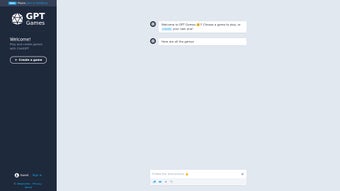

Download GPT Games – Interactive Gaming Powered by ChatGPT
Overview
GPT Games is a cutting‑edge web application that transforms the way you play and create games online. Developed by the innovative team at gptgames, the platform taps into the power of OpenAI’s GPT (Generative Pre‑trained Transformer) model—better known as ChatGPT—to generate dynamic, text‑driven adventures that react intelligently to every user input. Unlike traditional static games, GPT Games offers a fluid, conversational experience where the storyline, puzzles, and even characters evolve in real time, making each session feel uniquely personal.
The core appeal lies in two complementary modes: a library of ready‑made interactive experiences and a sandbox creator that lets you design your own games without writing a single line of code. By simply describing the premise, characters, or rules, the AI crafts a fully functional game narrative that you can fine‑tune through an intuitive web interface. This democratizes game development, opening the door for storytellers, educators, and casual gamers to bring their ideas to life.
Because GPT Games runs entirely in the browser, there’s no need for heavy downloads or installations. You access it via any modern browser, and the service stays up‑to‑date automatically, ensuring you always benefit from the latest AI improvements. Security and privacy are built into the platform: all user‑generated content is stored locally unless you choose to share it publicly, and the site operates over HTTPS to keep your data safe.
While the platform is still in beta—meaning occasional inaccuracies or unexpected responses may occur—it continuously evolves thanks to user feedback. The developers encourage players to report quirks, suggest new features, and vote on upcoming improvements, creating a collaborative ecosystem where the community helps shape the future of interactive AI gaming. This open‑feedback loop not only speeds up bug fixing but also aligns future updates with the real needs of the player base, ensuring a more satisfying experience over time.
Features & Installation – What Makes GPT Games Stand Out
Key Features
- AI‑driven storytelling that adapts to player choices in real time.
- Ready‑made library of diverse game genres: mystery, fantasy, sci‑fi, education, and more.
- Visual game creator that requires no programming—just describe your idea.
- Instant preview mode to test and iterate on your custom games.
- Cross‑platform web access – works on Windows, macOS, Linux, Android, and iOS.
- Secure HTTPS connection and optional local‑only storage for privacy‑focused users.
- Community hub for sharing creations, rating games, and providing feedback.
- Regular AI model updates that improve language understanding and reduce errors.
- Export options to save your game as a shareable link or embed code.
- Integrated analytics dashboard for creators to see player engagement metrics.
Installation & First‑Time Use
Installing GPT Games is remarkably straightforward because it’s a pure web app. Follow these steps to get started:
- Visit the official website. Open your preferred browser (Chrome, Edge, Safari, or Firefox) and navigate to gptgames.com.
- Create a free account. Click “Sign Up,” enter an email address, and set a strong password. You can also log in with Google or Apple for a quicker process.
- Verify your email. A verification link will be sent to your inbox. Click it to activate your account and unlock the full feature set.
- Choose a mode. After logging in, you’ll see two main tabs: “Play” for pre‑built games and “Create” for building your own. Select “Play” to explore the catalog or “Create” to launch the designer.
- Start playing. Pick a game that interests you, read the brief intro, and begin typing your actions in the chat‑style interface. The AI will respond with narrative updates, challenges, or hints.
- Design your own game. In the “Create” tab, click “New Game,” then fill out the prompt fields: title, setting, main characters, and core mechanics. Press “Generate,” and the AI will produce a draft storyline. Use the side‑panel tools to edit scenes, add branching choices, or insert images.
- Save and share. Once satisfied, click “Publish” to make the game public or “Export Link” to share privately with friends.
Because GPT Games runs in the cloud, you never need to download large files or manage updates manually. The platform automatically rolls out the latest GPT model enhancements, so you always enjoy the most accurate and creative responses. If you prefer an offline experience, the developers have announced a forthcoming desktop wrapper (Electron‑based) that will allow local caching—perfect for users on limited internet connections. This future‑proof design means you can start now with the web version and transition seamlessly to a desktop client when it becomes available, preserving all of your saved projects and settings.
Compatibility, Pros & Cons – Is GPT Games Right for You?
Operating System Compatibility
GPT Games is built with responsive web technologies, meaning it works on any device that supports modern browsers. The official compatibility list includes:
- Windows 10 and later (Chrome, Edge, Firefox)
- macOS 11 (Big Sur) and later (Safari, Chrome, Firefox)
- Linux distributions with recent browsers (Ubuntu, Fedora, etc.)
- Android 8.0+ (Chrome, Firefox, Samsung Internet)
- iOS 13+ (Safari, Chrome)
No additional plugins or extensions are required, and the site automatically adjusts its layout for tablets, phones, and desktop monitors, delivering a seamless experience across all screen sizes. Even older devices that meet the minimum browser versions will run the core features without noticeable lag, though for the richest visual experience it’s recommended to use a device with at least 4 GB of RAM and a stable Wi‑Fi connection.
Pros
- Highly interactive storytelling: The AI reacts to nuanced player input, creating a more immersive narrative than static text adventures.
- Zero‑code game creation: Anyone can design a full‑featured game by simply describing concepts, making game development accessible.
- Cross‑platform access: Play or create on Windows, macOS, Linux, Android, or iOS without any installs.
- Continuous improvement: Frequent AI updates improve language comprehension and reduce factual errors.
- Privacy‑first approach: Data is encrypted, and users control whether creations are stored locally or shared publicly.
- Free entry level: Core features are available at no cost, with optional premium plans for advanced analytics and branding.
- Community-driven roadmap: User feedback directly influences upcoming features, ensuring the platform evolves in line with real needs.
Cons
- Beta‑stage limitations: Occasional inaccurate or nonsensical responses may appear, especially in highly technical scenarios.
- Dependence on internet: A stable connection is required for real‑time AI processing; offline mode is not yet available.
- Content moderation needed: User‑generated games can contain mature themes, so parental controls are advisable.
- Limited graphical assets: The platform focuses on text‑based experiences; visual‑rich games need external tools.
- Learning curve for creators: While no coding is required, mastering the prompt language to get optimal results takes practice.
Overall Rating: 4.2/5 – GPT Games delivers a fresh, AI‑driven gaming experience that feels both innovative and approachable. Its strengths in interactivity and creator empowerment outweigh the occasional quirks typical of beta software.
Frequently Asked Questions
Is GPT Games completely free to use?
The core platform—including access to the game library and the basic creator tools—is free. A premium subscription unlocks advanced analytics, custom branding, and higher priority for AI model updates, but it’s optional. Even free users receive regular updates and can publish games publicly, though they may encounter usage limits such as a maximum number of active projects or lower priority during peak server times.
Can I play GPT Games on a low‑end Android phone?
Yes. As long as the device runs Android 8.0+ and has a modern browser, the web app will load. For the smoothest experience, close background apps to free up RAM, since the AI response generation happens in the cloud but still requires rendering on the device. On very low‑end hardware you might notice slightly longer load times for large game scenes, but the core text‑based gameplay remains fully functional.
How does GPT Games handle user privacy?
All connections use HTTPS encryption. By default, any game you create is stored locally in your browser’s IndexedDB and is not shared publicly unless you explicitly publish it. The platform does not sell personal data, and you can delete your account at any time. For users who require extra compliance, GDPR‑ready data‑export tools are available in the account settings, allowing you to download or permanently erase all stored information.
What should I do if the AI generates incorrect information?
Since GPT Games is in beta, occasional factual errors can occur. You can flag problematic responses directly in the chat interface, which sends the feedback to the development team. Over time, these reports help fine‑tune the model and reduce inaccuracies. Additionally, you can manually edit the storyline using the creator’s “Edit” mode to correct any mistakes before publishing, ensuring your final game remains coherent and reliable.
Is there a way to export my custom game for offline play?
Yes. Once you finish designing a game, you can click “Export Link” to generate a shareable URL or use the “Embed Code” option to place the game on a personal website. Offline play is planned for a future desktop release, but currently the AI processing requires an internet connection. The exported link retains all narrative logic, so even without the full editor you can still enjoy the adventure on any device that can reach the web.
What devices or browsers are NOT supported?
Very old browsers that lack modern JavaScript features (e.g., Internet Explorer 11 or earlier) cannot run GPT Games. Similarly, devices without WebGL or with severely limited memory (under 1 GB RAM) may struggle to render the interface smoothly. Users on corporate networks with strict firewalls might need to whitelist the gptgames.com domain to allow WebSocket communication, which is essential for real‑time AI responses.
Conclusion – Should You Download GPT Games?
GPT Games represents a bold step toward merging conversational AI with interactive entertainment. Its blend of instantly generated narratives and a no‑code creator makes it appealing to gamers who crave fresh experiences and to creators eager to experiment without learning complex programming languages. The platform’s web‑based nature ensures you can start playing or building within minutes on virtually any device, and the free tier provides generous access to a growing library of AI‑crafted adventures.
While the beta status means you may occasionally encounter odd responses or need a reliable internet connection, the developers’ commitment to community‑driven improvement bodes well for future stability. If you value innovative gameplay, enjoy storytelling, or simply want a tool to prototype game ideas quickly, GPT Games is definitely worth a try. The flexible publishing options also let you showcase your creations to a global audience, potentially turning a hobby project into a portfolio piece or even a small revenue stream through premium content.
Looking ahead, the announced desktop wrapper and planned offline capabilities suggest that GPT Games is evolving into a truly cross‑environment platform. Early adopters will benefit from shaping that roadmap, gaining early access to new features and having their feedback reflected in upcoming releases. This sense of ownership can be especially rewarding for indie developers and educators seeking a cutting‑edge teaching tool.
Ready to explore AI‑powered worlds? Download GPT Games now and start your first adventure today. Whether you’re diving into a mystery saga or crafting your own epic, the next generation of interactive gaming is just a click away.



.png)



